
Setup from Scratch#
Setting up an MPEG-H session from scratch:
Create a new 48 kHz session.
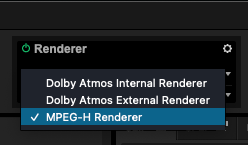
Select the MPEG-H Renderer.
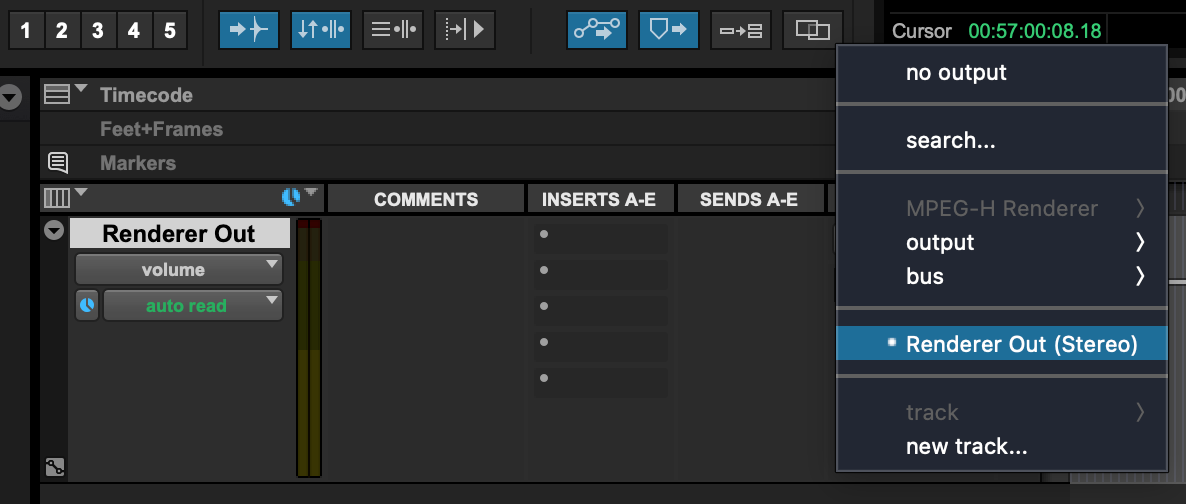
Create a Master Fader track with the width of your monitoring path and select “Renderer Out” in the I/O settings.
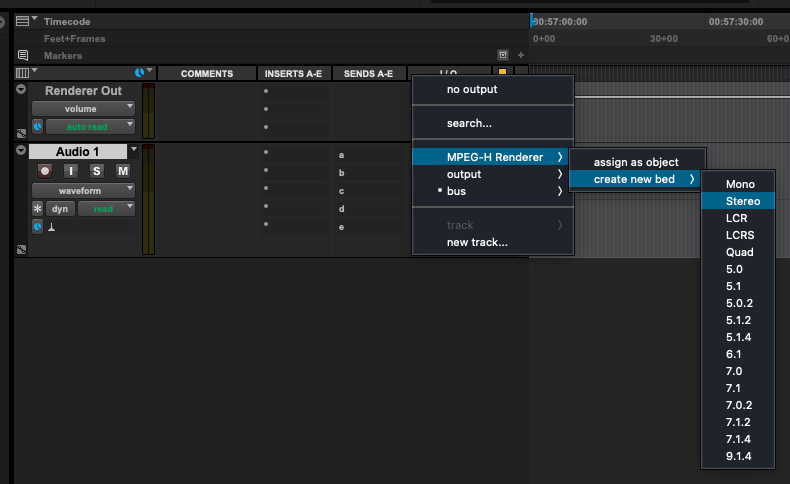
Create a new stereo audio track.
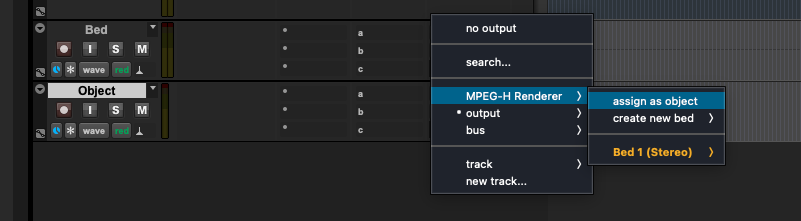
Select the track’s output as “MPEG-H Renderer” > “Create new bed” > “Stereo”
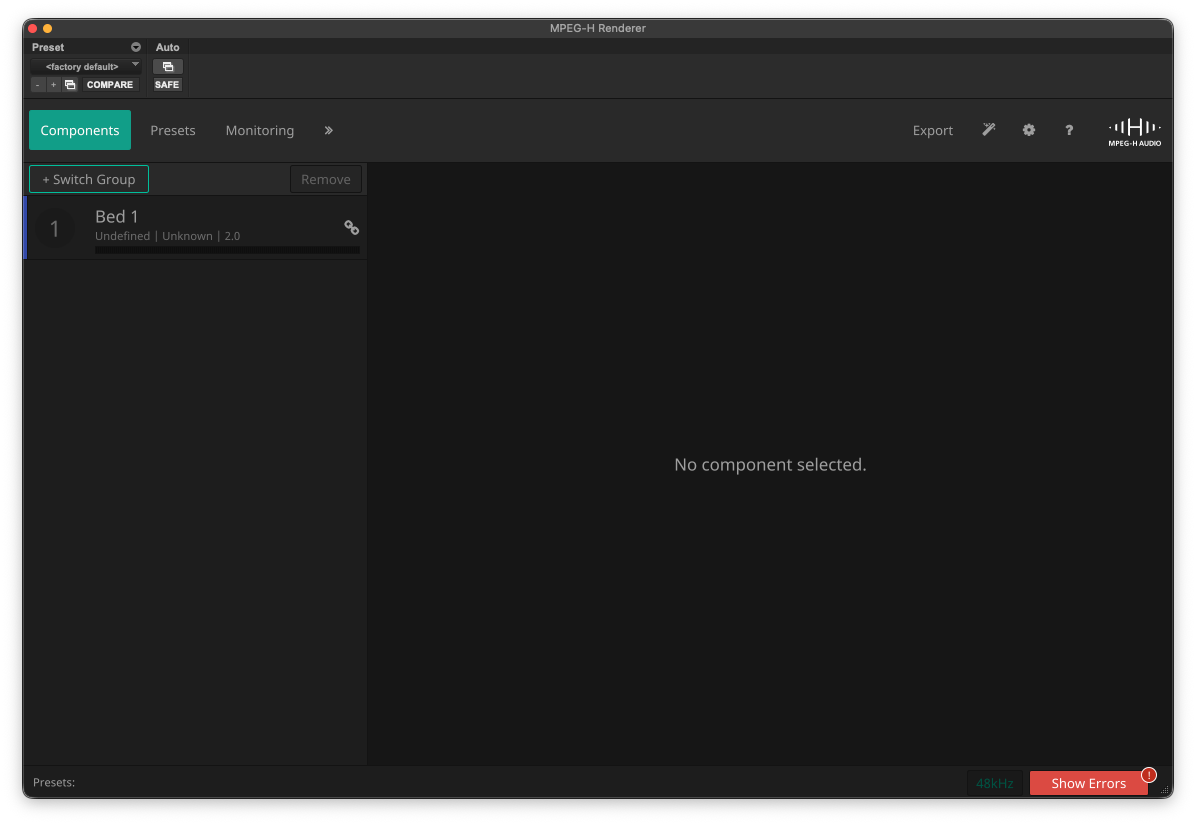
Open the MPEG-H Renderer window to see the channel component.
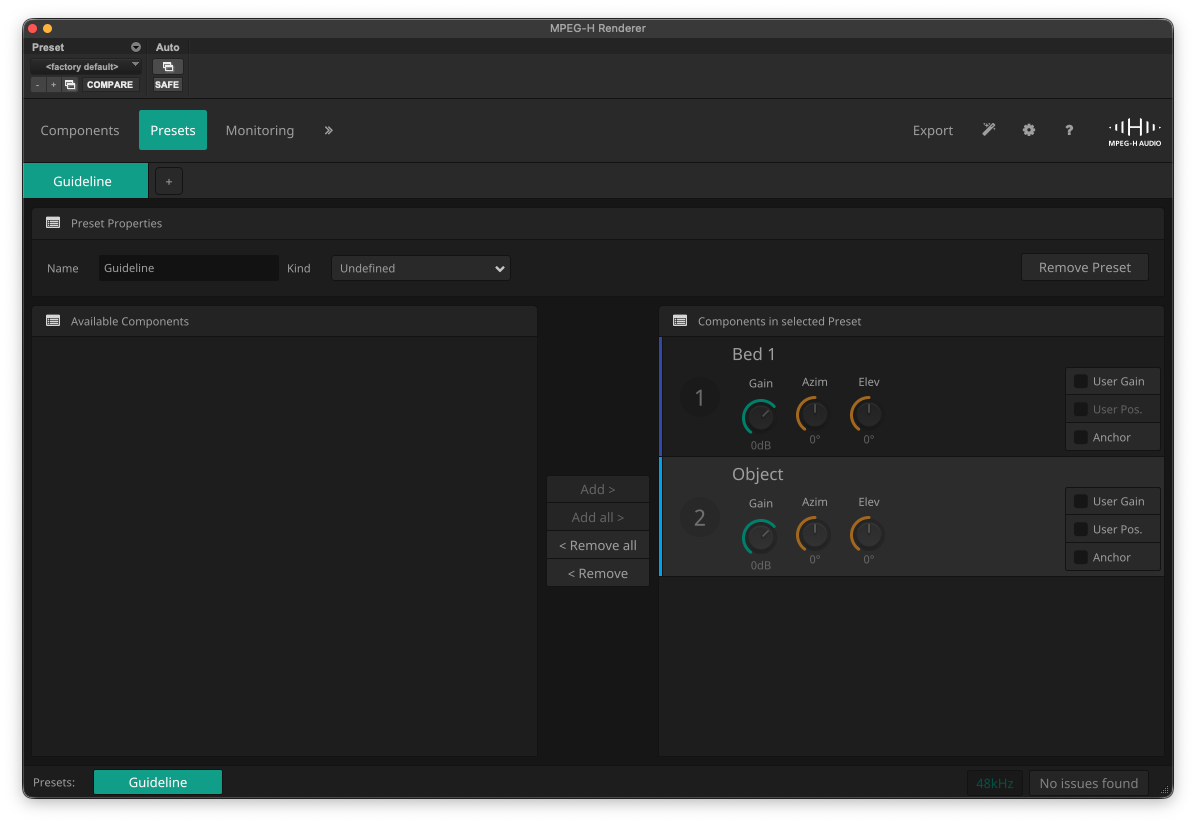
Select “Presets”, create a new preset, and assign the object component to that preset.
Create a new mono audio track.
Select the track’s output as “MPEG-H Renderer” > “assign as object”.
A new object component appears in the renderer.
Add this object component to a new or the existing preset.
Start playback to hear the audio.