Renderer selection#
There are two ways to select the MPEG-H Renderer in Pro Tools:
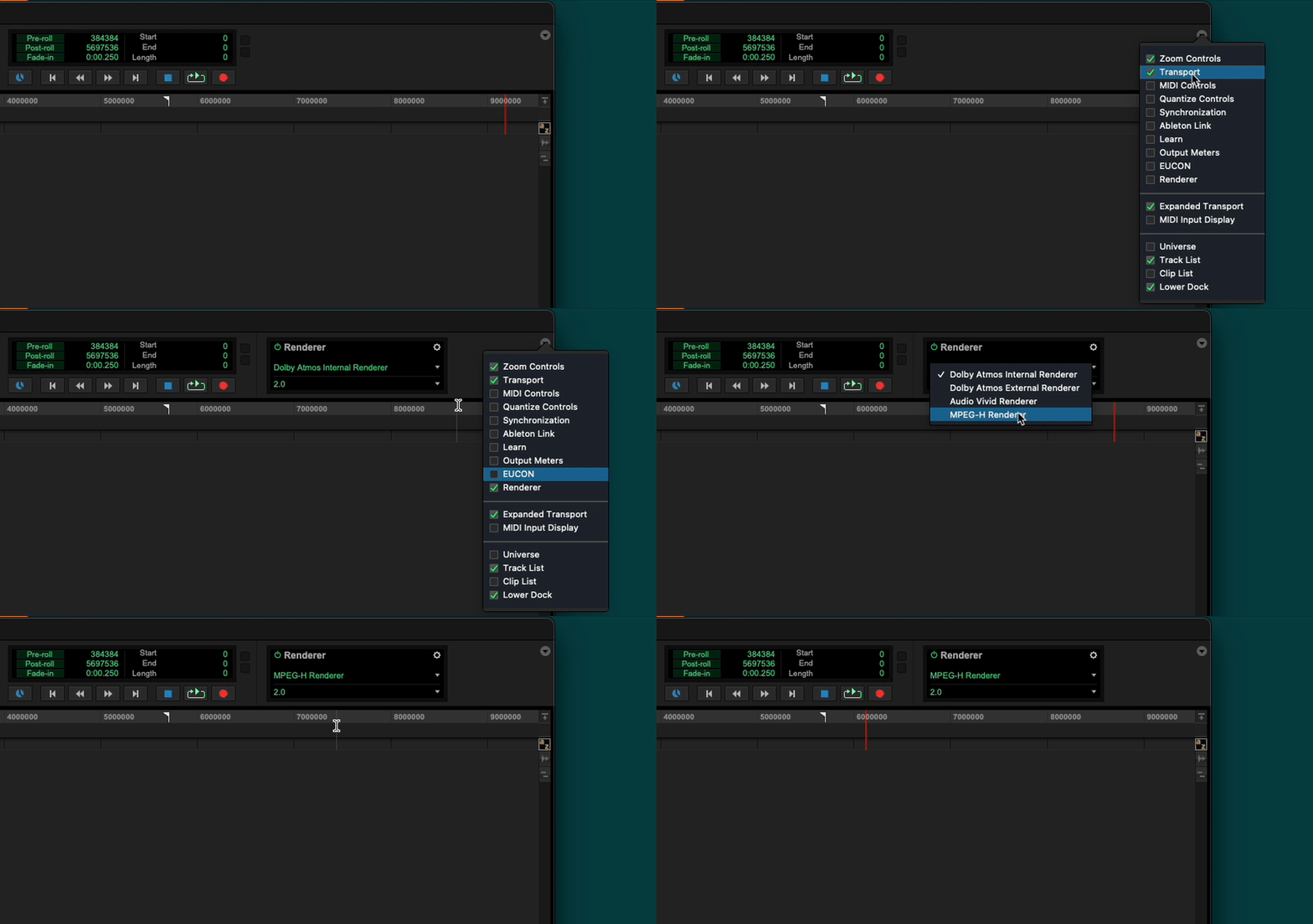
Make sure the Renderer control panel is shown in the Edit Window toolbar, and select MPEG-H.
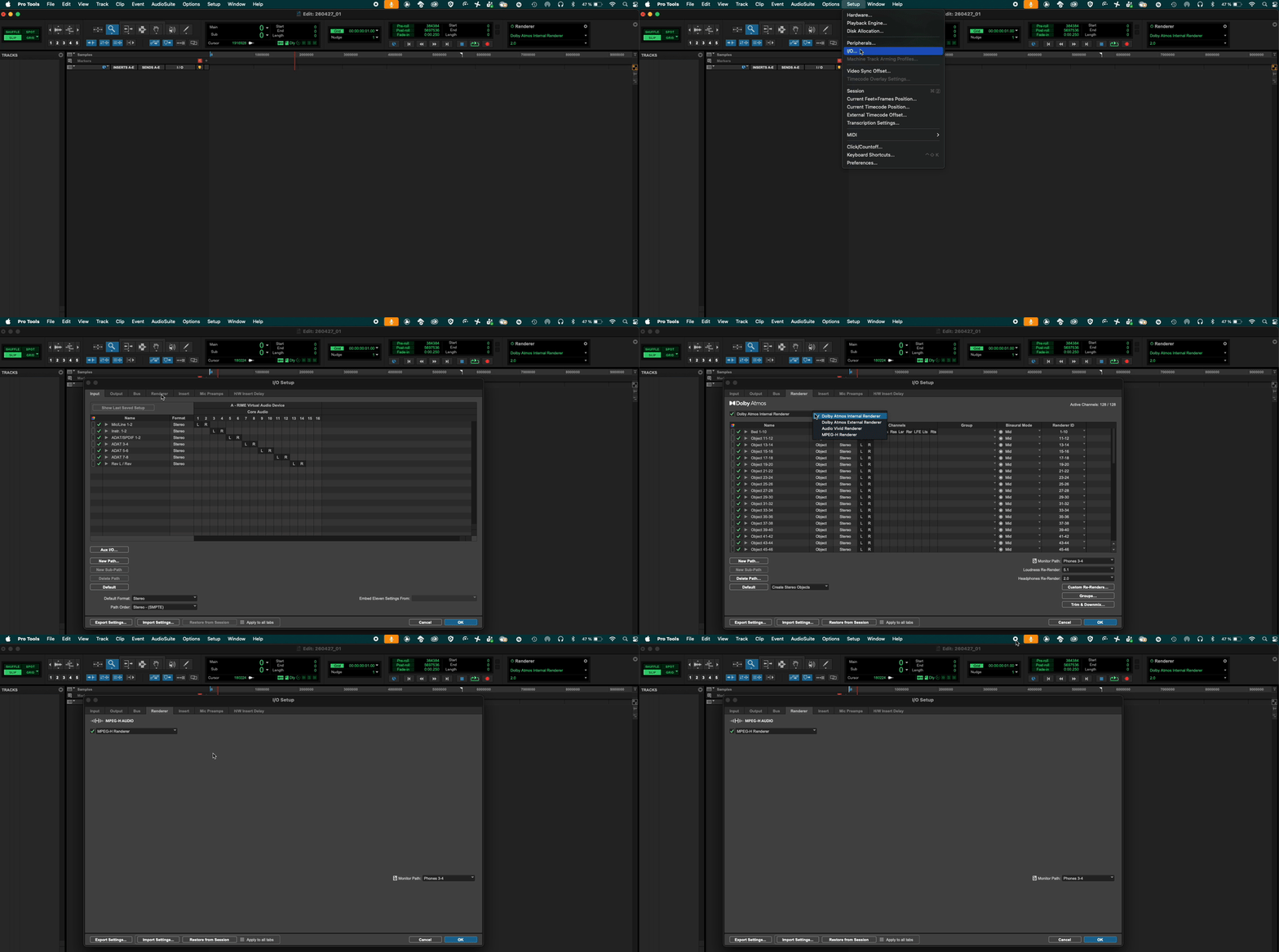
In the top menu go to “Setup” and open the “i/o” window. Click on the Renderer tab and select the MPEG-H Renderer from the drop-down window.