
MPEG-H Import#
See Import
To import an MPEG-H Audio master file:
Make sure the MPEG-H Audio Renderer is enabled.
Choose File - Import - MPEG-H Master.
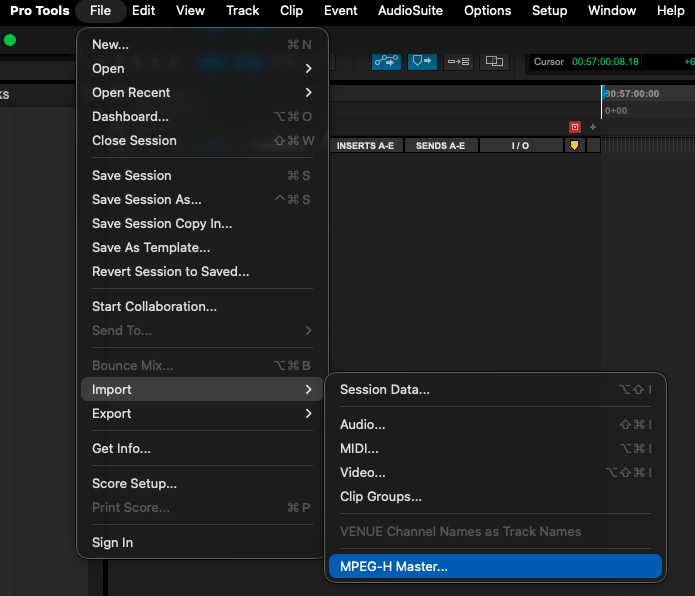
Select the MPEG-H master file to import.
Click Open.
The MPEG-H Renderer window will open.
Configure the import settings.
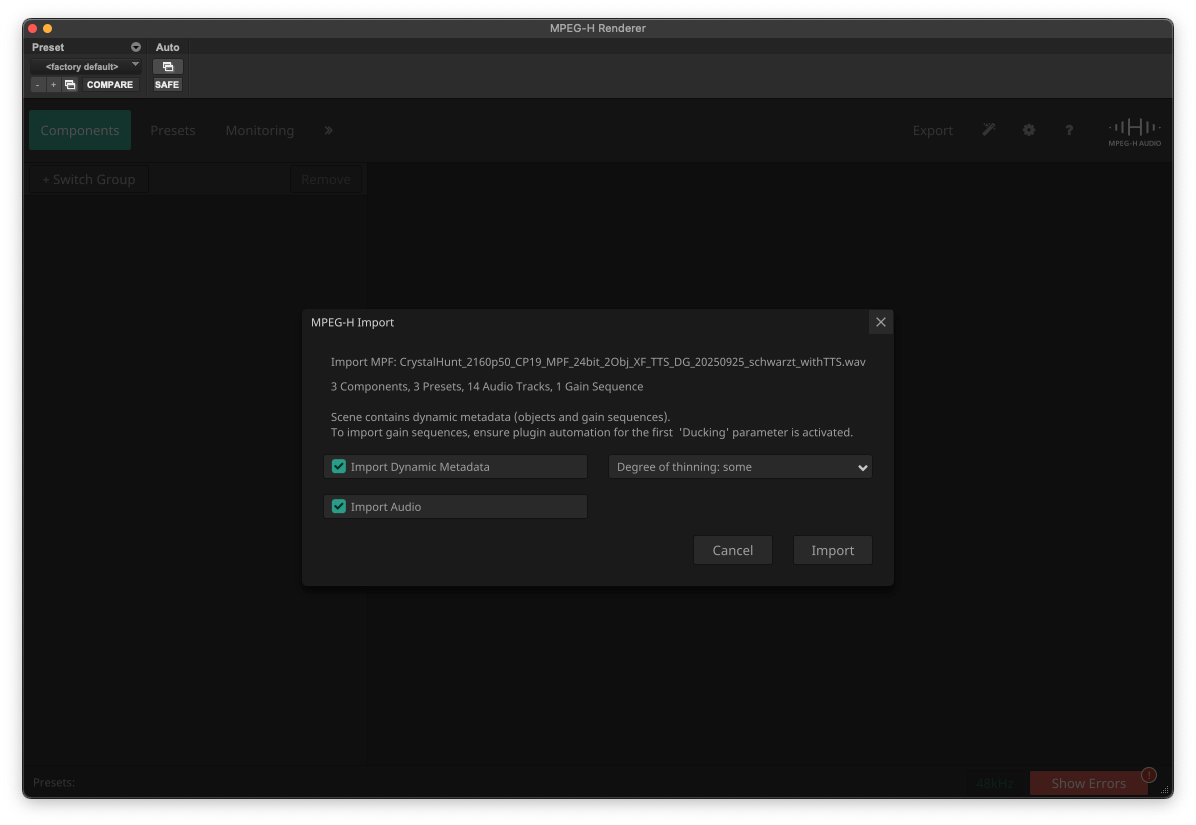
Click Import.
Valid import formats are:
MPEG-H BWF/ADM from a .wav-file
MPEG-H Production Format from a 16/32 channel .wav-file
MPEG-H MXF/S-ADM from a .mxf-file
MPEG-H template from a .xml-file (static metadata only, no audio)
Note
Import can only be used if there are no existing MPEG-H objects or beds in the session.